
1.5.c iii Outbound Route Filtering
I’m doing some brief route filtering labbing today. The resources I’m using are:
LabMinutes.com
Video: Routing & Switching – BGP | Lab Minutes

Routing TCP/IP, Volume II: CCIE Professional Development, Second Edition
https://learning.oreilly.com/library/view/routing-tcpip-volume/9780134192772/
From the section: Filtering Routes by NLRI (Network Layer Reachability Information)
“IOS provides two tools for per-NLRI route filtering: Distribute lists and prefix lists. Prefix lists are the more recent and the more preferred tool; their configuration variables make them more versatile, and they can have less performance impact on the router.” (Doyle, 2016)
So let’s attempt the following tasks:
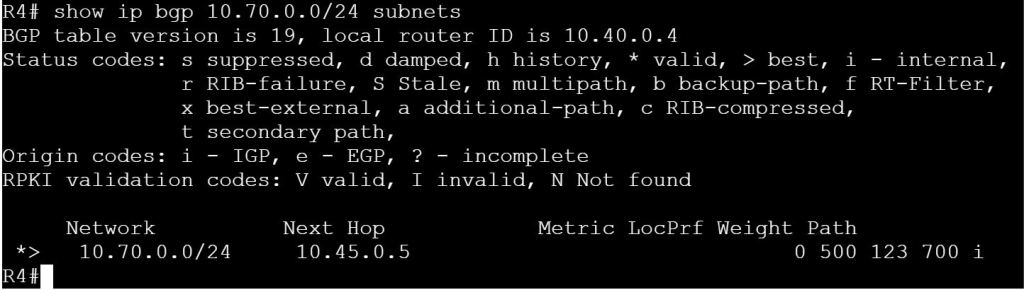
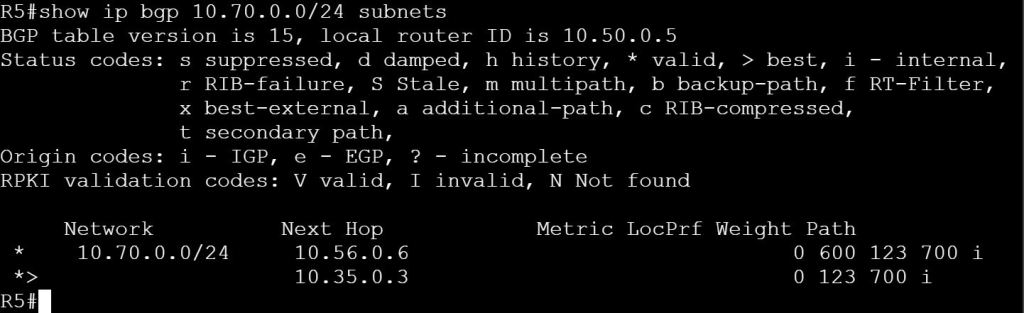
1. Use a prefix-list to filter out the 10.70.0.0/24 network from being advertised to AS 400 and AS 500 from R2
2. Filter out the 10.70.0.0/24 network from being advertised to AS 500 and AS 600 from R3, do not user prefix-lists.
3. Use AS-Path Filtering to prevent AS 123 from being used as a transit AS between AS 400 and AS 500.

Task 1: Use a prefix-list to filter out the 10.70.0.0/24 network from being advertised to AS 400 and AS 500 from R2.
For this task we’ll use prefix-lists.
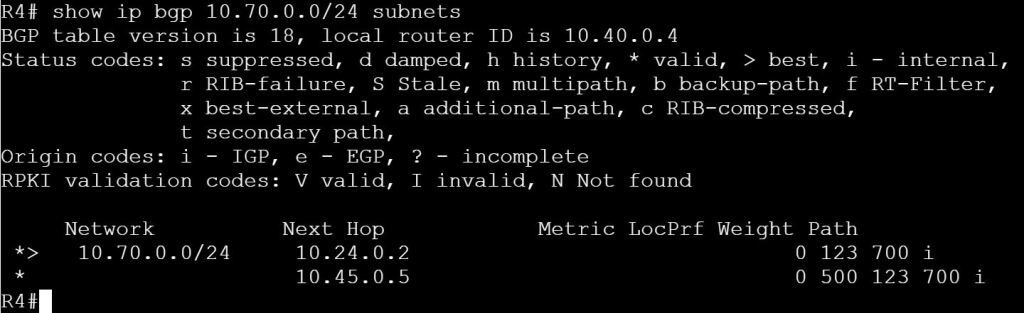
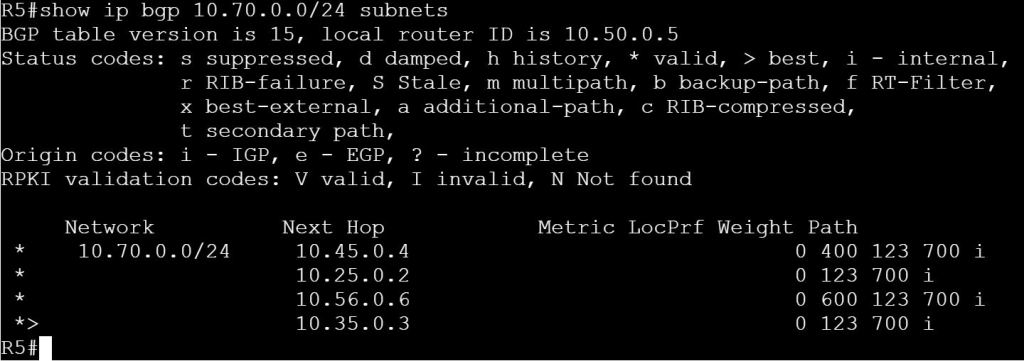
First, let’s verify on R4 that route 10.70.0.0/24 exists.
show ip bgp
or
show ip bgp 10.70.0.0/24 subnets
R2
ip prefix-list PLIST-70 deny 10.70.0.0/24
ip prefix-list PLIST-70 permit 0.0.0.0/0 le 32
router bgp 123
neighbor 10.24.0.4 prefix-list PLIST-70 out
neighbor 10.25.0.5 prefix-list PLIST-70 out

Task 2: Filter out the 10.70.0.0/24 network from being advertised to AS 500 and AS 600 from R3, do not user prefix-lists.
For this task we’ll use good old-fashioned ACLs and distribute-lists.
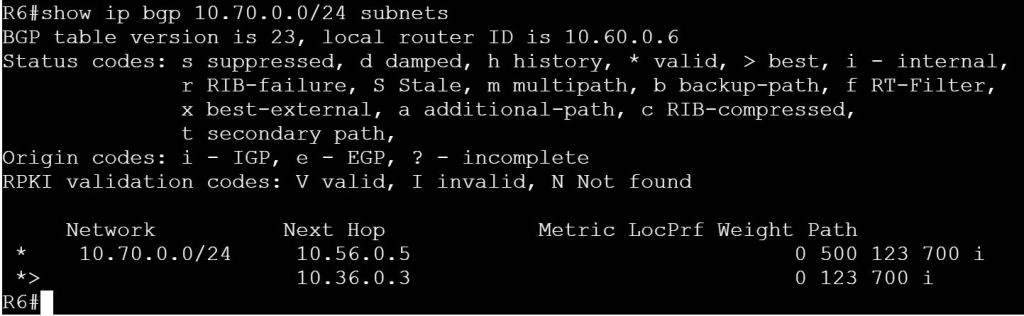
We already verified what we’re seeing on R4 and R5 with the previous task, but let’s check R6.
R3
access-list 70 deny 10.70.0.0 0.0.0.255
access-list 70 permit any
router bgp 123
neighbor 10.35.0.5 distribute-list 70 out
neighbor 10.36.0.6 distribute-list 70 out



Task 3: Use AS-Path Filtering to prevent AS 123 from being used as a transit AS between AS 400 and AS 500.
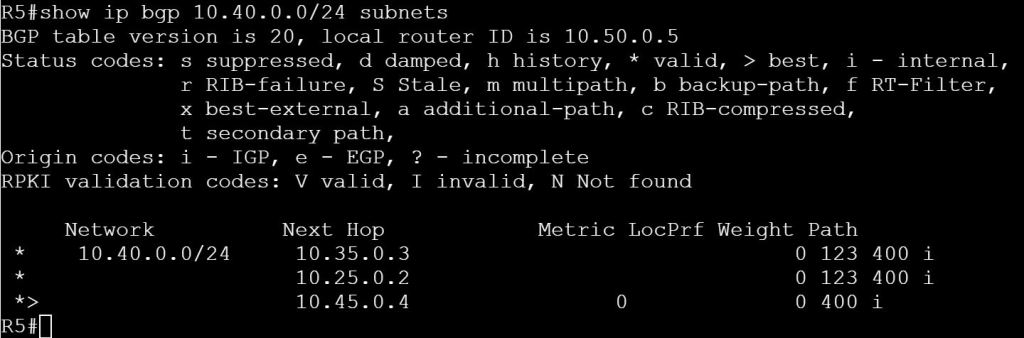
So this scenario could be that our main customer site is AS 123. AS 400, AS 500 are our ISPs and we don’t want them to use our customer site as a transit. The way it’s configured now, if the link between R 4 and R5 goes down, R4 will just route traffic through AS 123 to get to R5.
Let’s verify this on R4:
show ip bgp 10.50.0.0/24 subnets

And on R5:
show ip bgp 10.40.0.0/24 subnets
Apply AS-Path filtering:
R2
ip as-path access-list 4 deny _400_
ip as-path access-list 4 permit .*
ip as-path access-list 5 deny _500_
ip as-path access-list 5 permit .*
router bgp 123
neighbor 10.24.0.4 filter-list 5 out
neighbor 10.25.0.5 filter-list 4 out
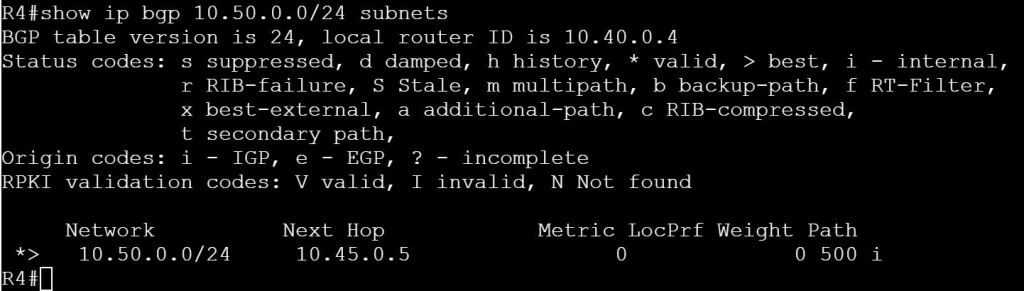
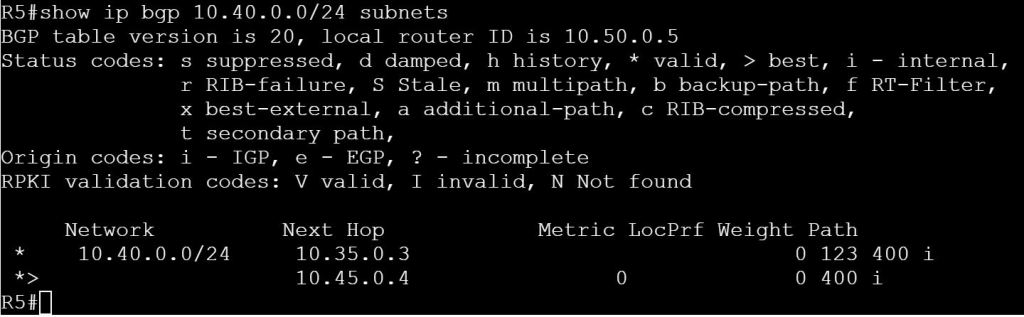
Let’s filter out the path from R3 to R5:
R3
ip as-path access-list 4 deny _400_
ip as-path access-list 4 permit .*
router bgp 123
neighbor 10.35.0.5 filter-list 4 out
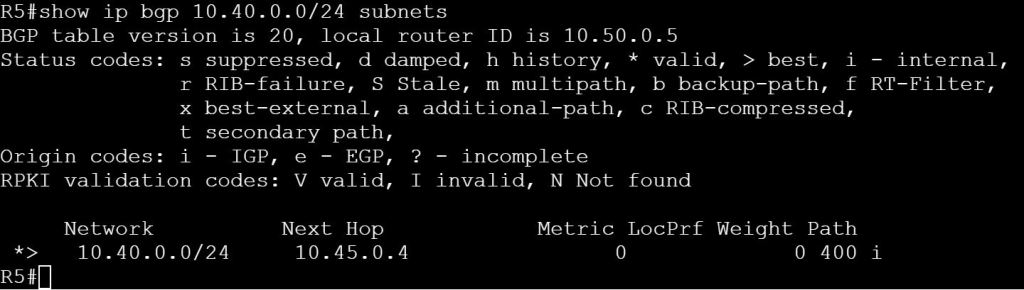
Let’s do one final test, though. What happens if we kill the link between R4 and R5?
R5
interface gig 0/2
shutdown
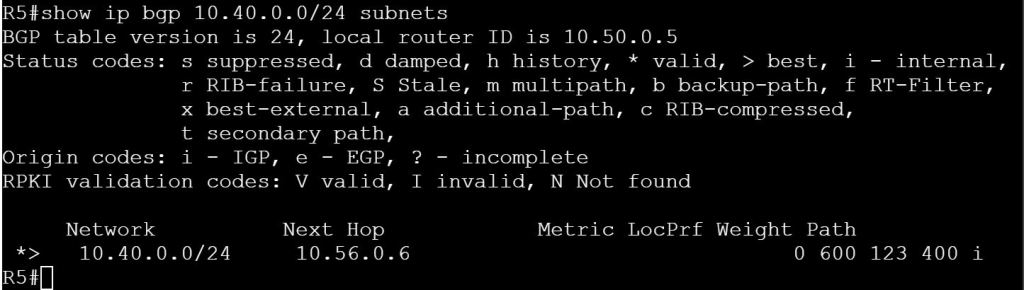
So how can we make this work?
If we control R6, we can add AS-Path Filtering there to prevent AS 400 from being advertised to R5. If not, then we’ll need to also filter routes going out to R6.
Base Config:
R1 (AS 123 Router Reflector)
router bgp 123
bgp log-neighbor-changes
network 10.12.0.0 mask 255.255.255.0
network 10.13.0.0 mask 255.255.255.0
network 10.17.0.0 mask 255.255.255.0
neighbor 10.17.0.7 remote-as 700
bgp cluster-id 123
neighbor 10.12.0.2 remote-as 123
neighbor 10.12.0.2 route-reflector-client
neighbor 10.13.0.3 remote-as 123
neighbor 10.13.0.3 route-reflector-client
R2
router bgp 123
bgp log-neighbor-changes
network 10.12.0.0 mask 255.255.255.0
network 10.23.0.0 mask 255.255.255.0
network 10.24.0.0 mask 255.255.255.0
network 10.25.0.0 mask 255.255.255.0
neighbor 10.12.0.1 remote-as 123
neighbor 10.24.0.4 remote-as 400
neighbor 10.25.0.5 remote-as 500
R3
router bgp 123
bgp log-neighbor-changes
network 10.13.0.0 mask 255.255.255.0
network 10.23.0.0 mask 255.255.255.0
network 10.35.0.0 mask 255.255.255.0
network 10.36.0.0 mask 255.255.255.0
neighbor 10.13.0.1 remote-as 123
neighbor 10.35.0.5 remote-as 500
neighbor 10.36.0.6 remote-as 600
R4
router bgp 400
network 10.24.0.0 mask 255.255.255.0
network 10.45.0.0 mask 255.255.255.0
neighbor 10.24.0.2 remote-as 123
neighbor 10.45.0.5 remote-as 500
R5
router bgp 500
network 10.25.0.0 mask 255.255.255.0
network 10.35.0.0 mask 255.255.255.0
network 10.45.0.0 mask 255.255.255.0
network 10.56.0.0 mask 255.255.255.0
neighbor 10.25.0.2 remote-as 123
neighbor 10.35.0.3 remote-as 123
neighbor 10.45.0.4 remote-as 400
neighbor 10.56.0.6 remote-as 600
R6
router bgp 600
network 10.36.0.0 mask 255.255.255.0
network 10.56.0.0 mask 255.255.255.0
neighbor 10.36.0.3 remote-as 123
neighbor 10.56.0.5 remote-as 500
R7
router bgp 700
network 10.17.0.0 mask 255.255.255.0
network 10.70.0.0 mask 255.255.255.0
neighbor 10.17.0.1 remote-as 123
 Oscorp Labs