
The focus here is setting the two customers up to be able to talk to each other. At the most basic level, we can use the Route Targets. For simplicity’s sake, I’m going to add a second loopback prefix that’s unique for each customer. Otherwise we’d need to do Twice NAT, which NATs out the source and destination IPs.
The following prefixes have been added:
Customer A – R7: 191.7.0.0/24
Customer A – R8: 191.8.0.0/24
Customer B – R9: 191.9.0.0/24
Customer B – R10: 191.10.0.0/24
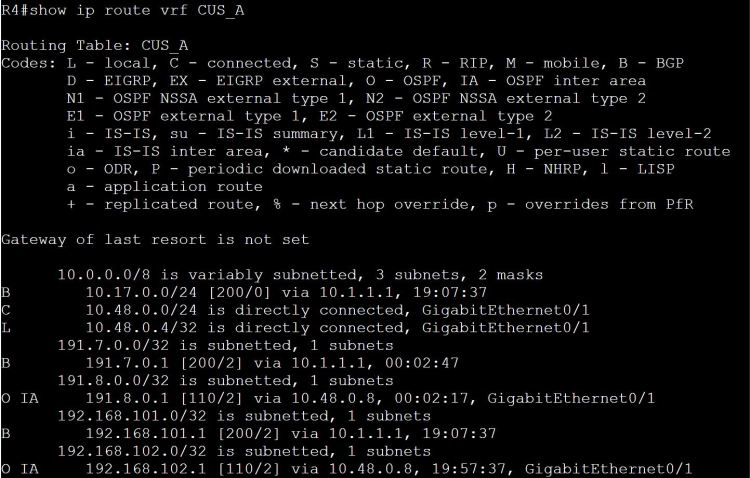
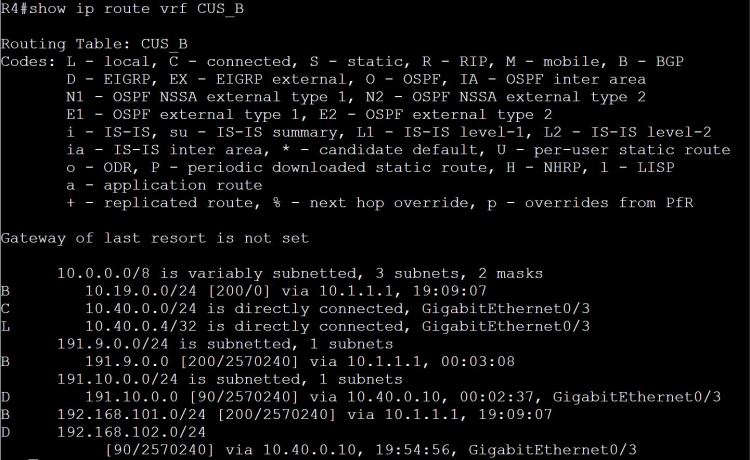
One way we can easily share routes is to just add the Customer B route-target to the Customer A vrf. What could go wrong?
R1:
vrf definition CUS_A
address-family ipv4
route-target import 100:910
Note: 100:910 is the Customer B route distinguisher (RD) AND it’s what we used for the route-target (RT). It makes things easier, fewer numbers to remember, but it also adds confusion. What am I importing here, the RD or the RT?
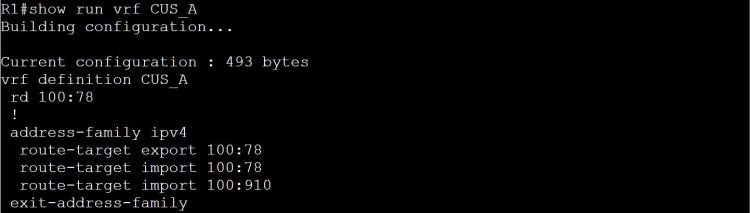

The answer: it’s the RT, route-target, that we’re importing. But just to prove it, let’s change the RT to 100:9010 on R1 and R4.
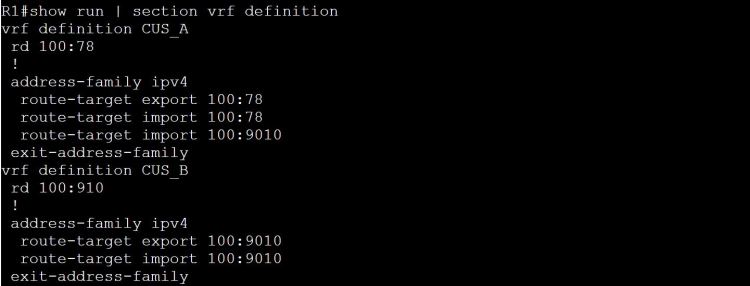
Now let’s check Customer A’s routing table on R1.
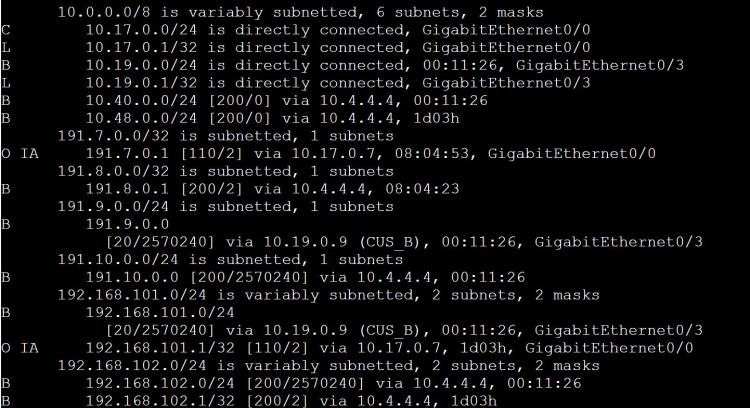
Look at this mess… we’re learning those 191.9.0.0/24 and 191.10.0.0/24 routes, but we’re also learning 192.168.101.0/24 through BGP, which is a totally different network from our own 192.168.101.0/24 network.
There has to be a way to choose which routes we want to share and which ones we don’t!
Once again, route-maps come to the rescue. Let’s share JUST the 191.9.0.0/24 route from Customer B to Customer A, and JUST the 191.7.0.0/24 route from Customer A to Customer B.
R1:
access-list 7 permit 191.7.0.0 0.0.0.255
route-map LEAK_7
! Match on the access-list
match ip address 7
! We’ll make up a new RT specifically for route leaking.
set extcommunity rt 100:999
vrf definition CUS_A
address-family ipv4
! Set the export map to the route-map above.
export map LEAK_7
! import the new RT which will be coming from CUS_B.
route-target import 100:999
! Same steps again, but for 191.9.0.0/24.
access-list 9 permit 191.9.0.0 0.0.0.255
route-map LEAK_9
match ip address 9
set extcommunity rt 100:999
vrf definition CUS_B
address-family ipv4
export map LEAK_9
route-target import 100:999
Let’s check the vrf routing tables.

And a ping test from R7 to R9.

And a little more detail with show bgp vpnv4 unicast vrf CUS_A 191.9.0.1.
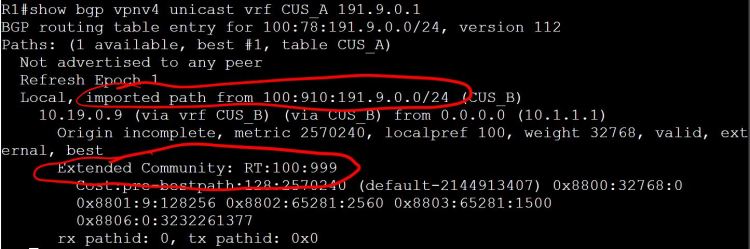
So far everything looks great. There’s just one minor problem. R8 across the WAN can no longer see the 191.7.0.0/24 network, and R10 can’t see 191.9.0.0/24. So we managed to break what was already working.
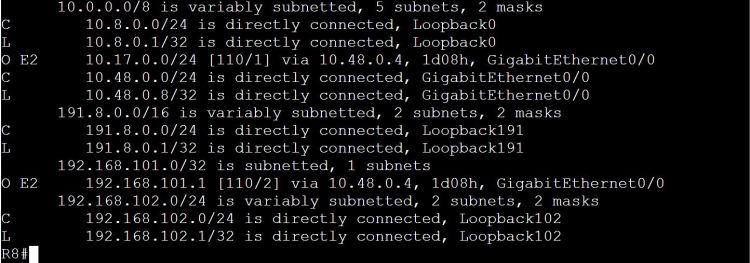
It’s a pretty easy fix, just modify the route-map to include RT 100:78.

 Oscorp Labs