
This isn’t really called out on the Enterprise Infrastructure blueprint (unless you count section 2.1.a iii Fabric domains (single-site and multi-site using SD-WAN transit), but I figured it would be something fun to try. It turned out to be a nightmare.
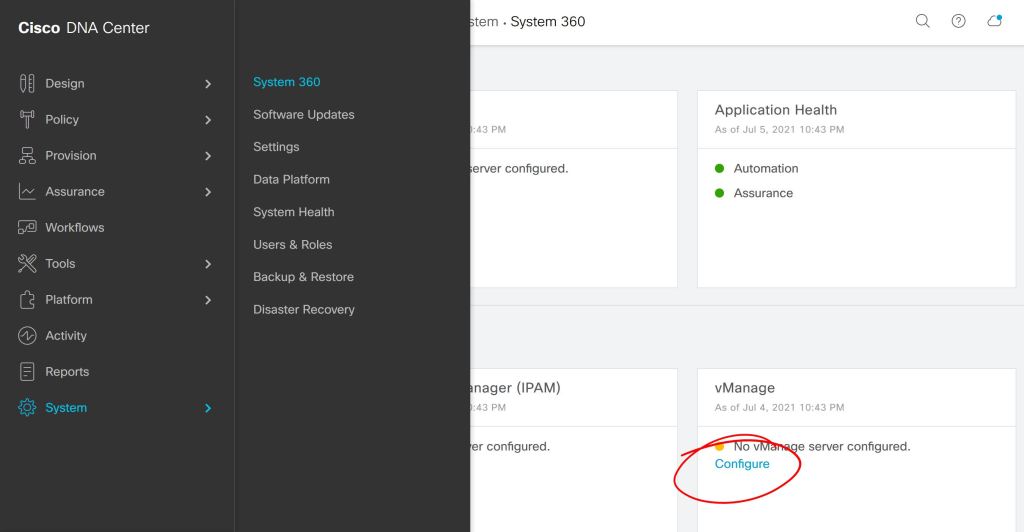
First thing, you kick off the connection from DNAC, either under System > Settings or System > System 360.
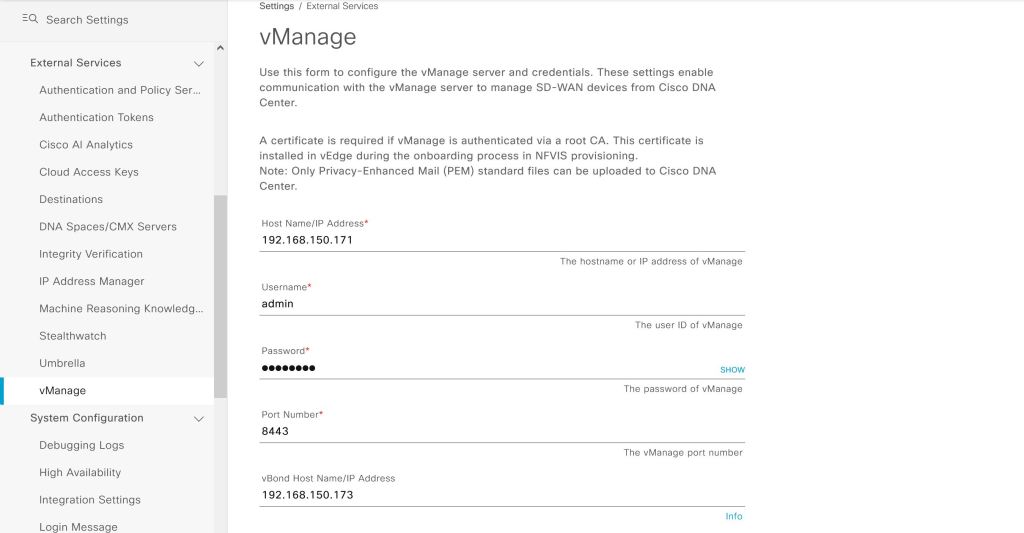
Seems simple enough so far, we just have to plug in our IP and user info for vManage.
Wrong… big red error.
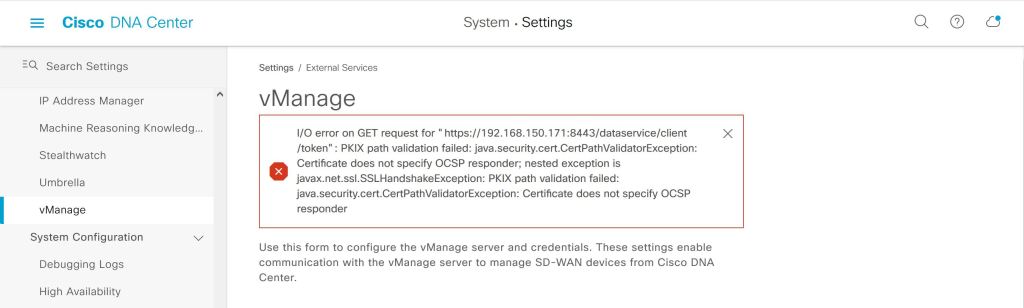
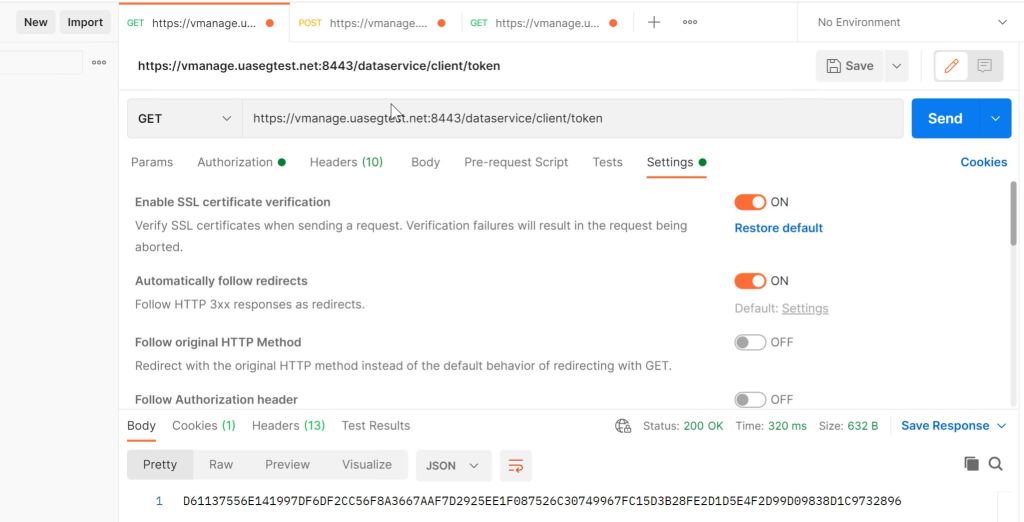
I tried a bunch of things with the cert, like using the FQDN instead of the IP. Google searches led me to believe that there was something wrong with my vManage cert. As a sanity check, I tried the same API call from POSTMAN that DNAC is trying and it worked fine.
Turns out that the issue was exactly what the error was trying to tell me. DNAC didn’t like something about the certificate’s CRL.
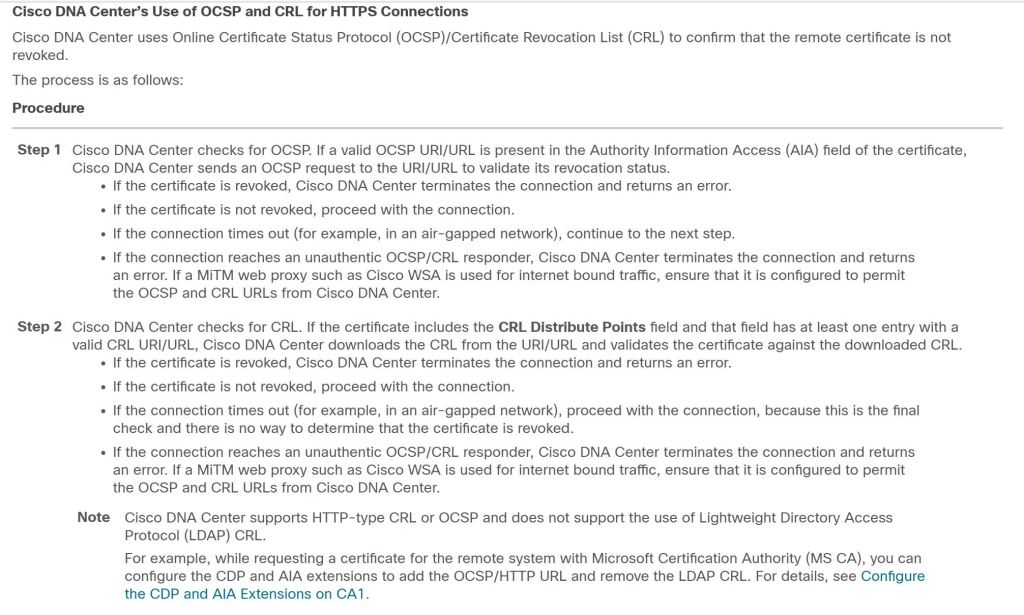
Reference: DNAC Hardening Guide
Towards the bottom there we have an interesting note: DNAC doesn’t like LDAP CRL’s. Well let’s take a closer look at our vManage cert.
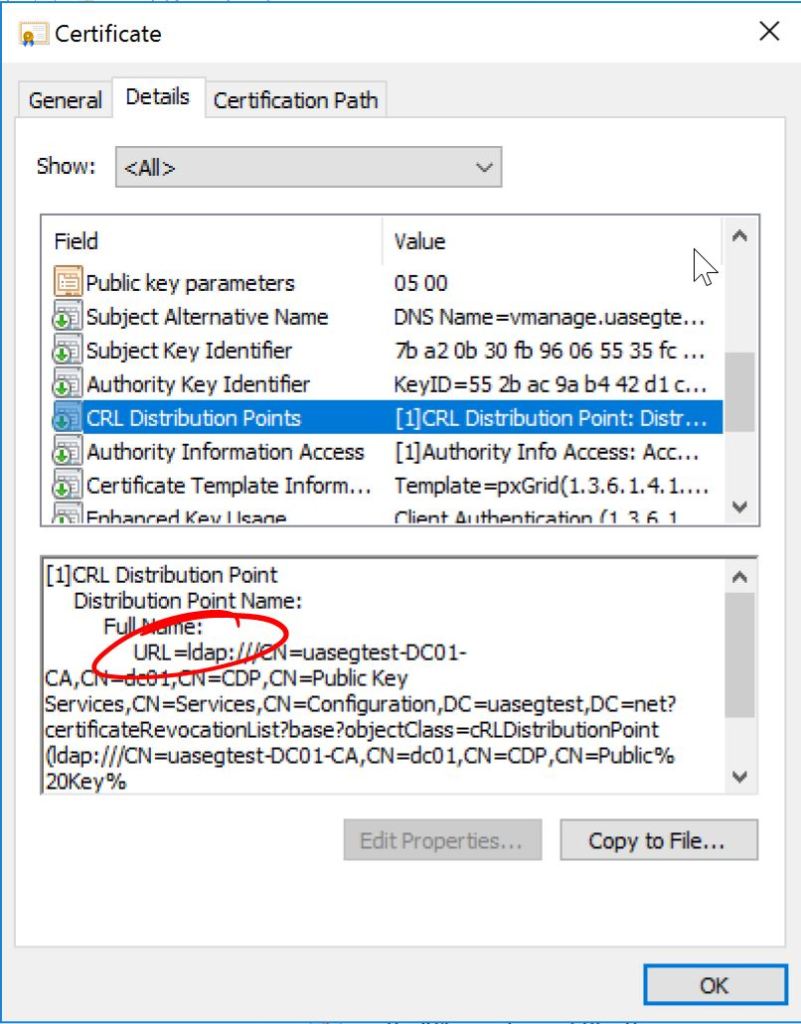
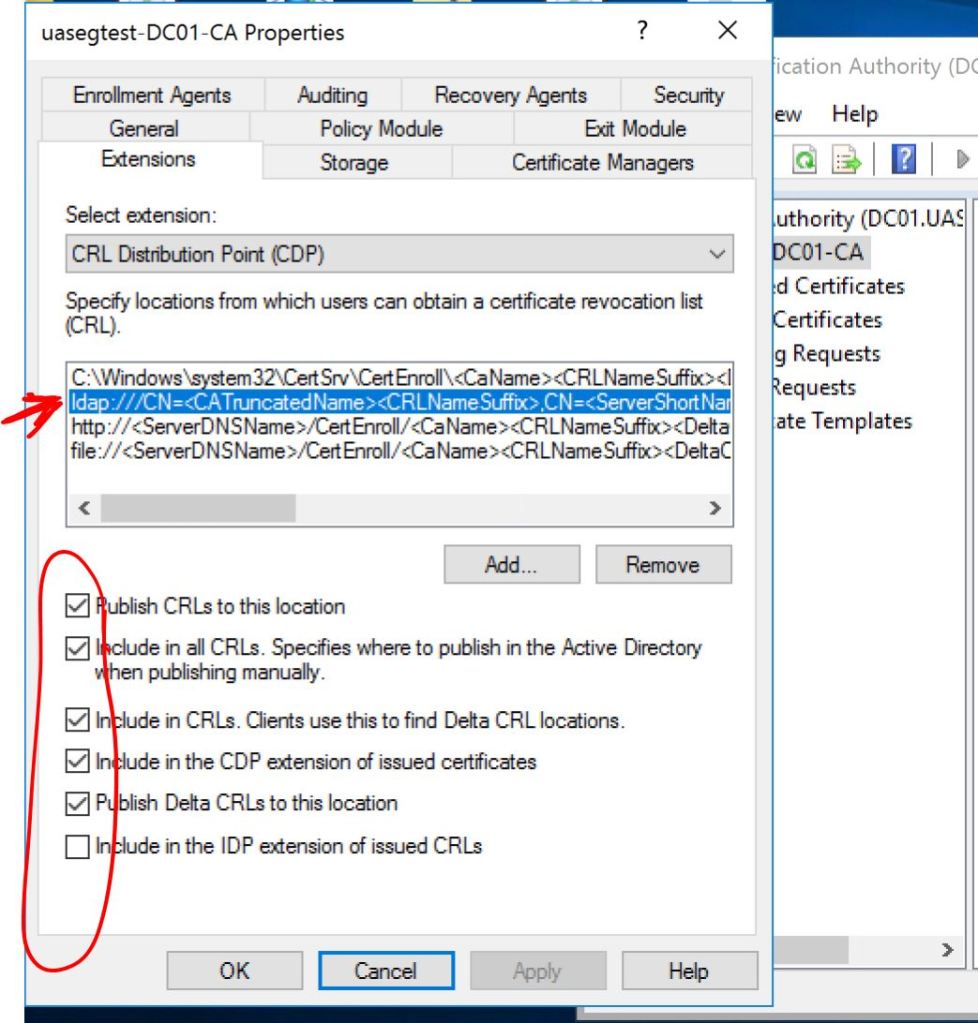
Let’s log into our Windows Server Certificate Authority and check the Properties > Extensions of our CA. First we’ll click on the LDAP entry and uncheck all those boxes.
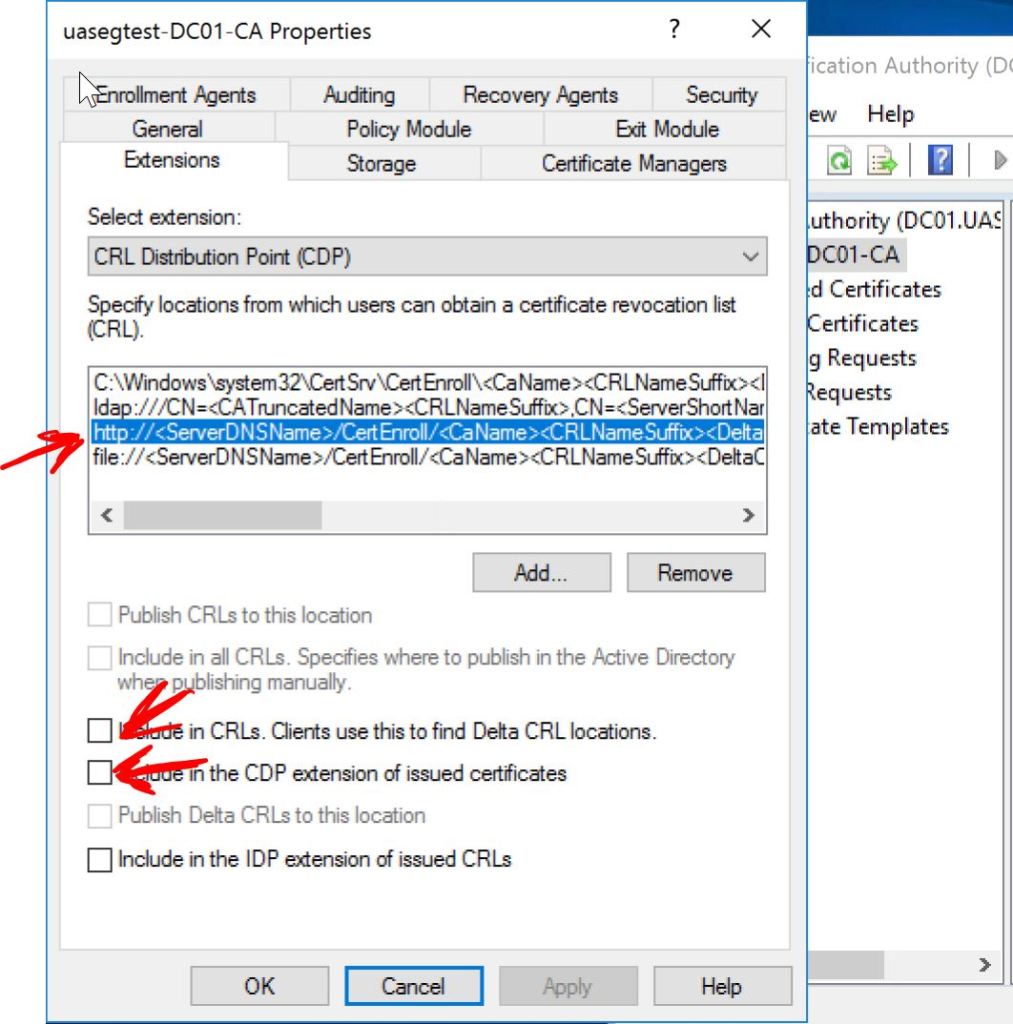
Then we’ll click on the http: entry and check the following two boxes, Include in CRLs and Include in the CDP extension of issued certificates.
I found this SAP page pretty helpful for changing the settings in Windows Server: Understanding CRL checks performed by the Enrollment Server starting with 7.0 SP5
Now we need to go back to vManage and re-do the Web Server Certificate under Administration > Settings > Web Server Certificate > CSR.
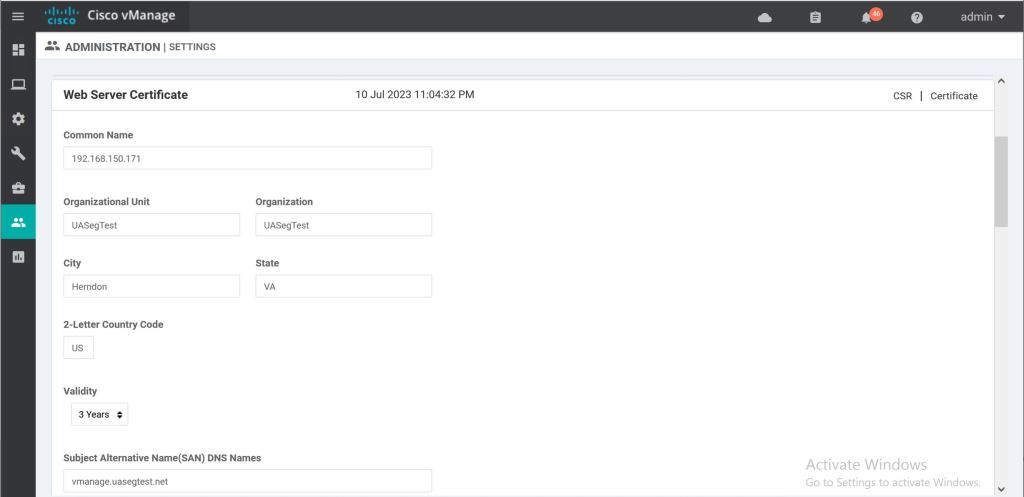
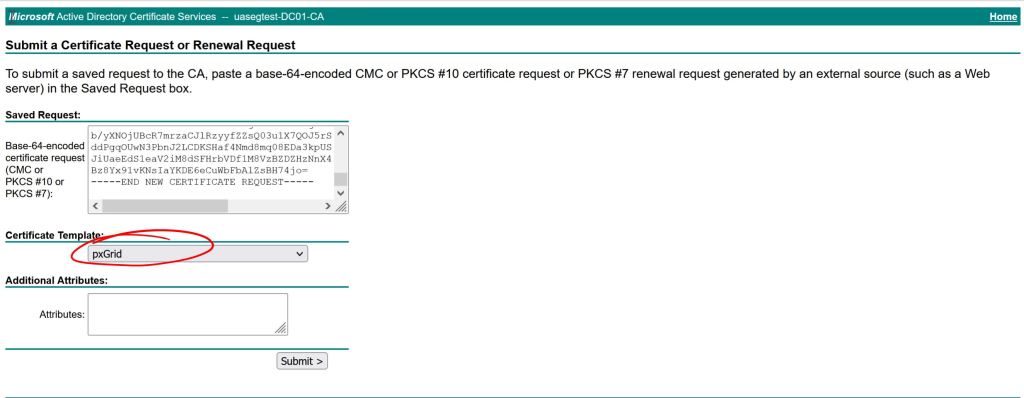
Then sign it again (this is about the 50th time I did this during the troubleshooting process). I use the pxGrid template I have build in AD which include client auth and server auth. You should be able to get away with just using a standard web server template that has server auth only.
Let’s take a look at our fresh new cert and verify the CRL Distribution Points.
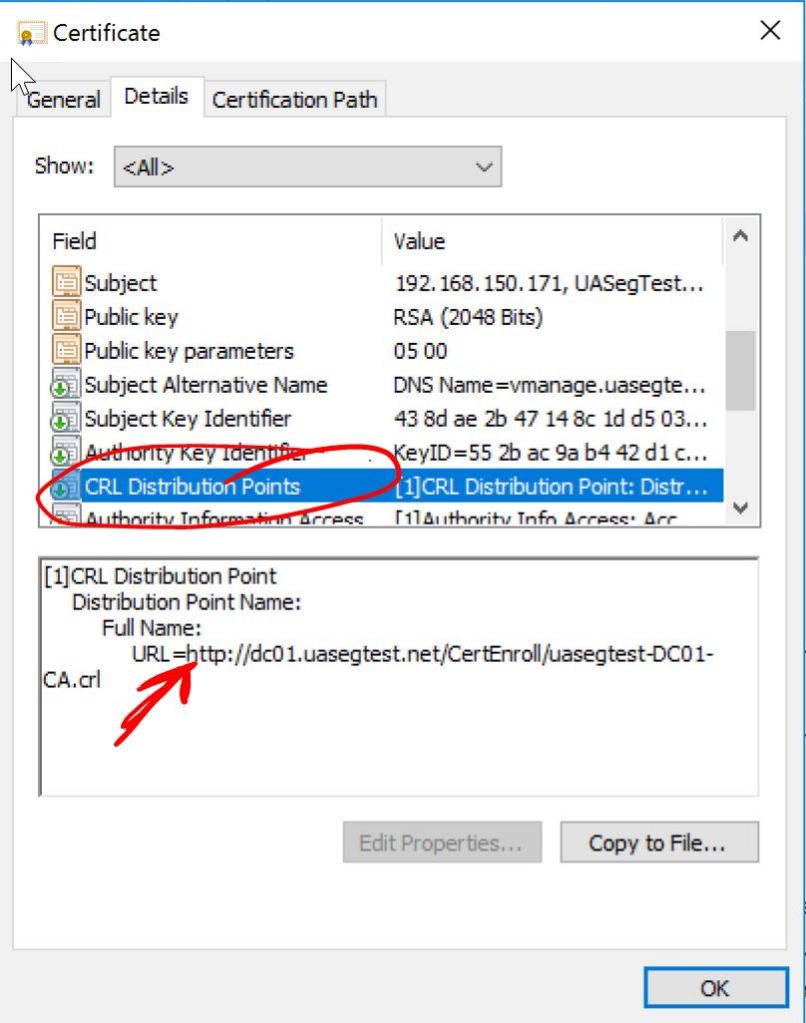
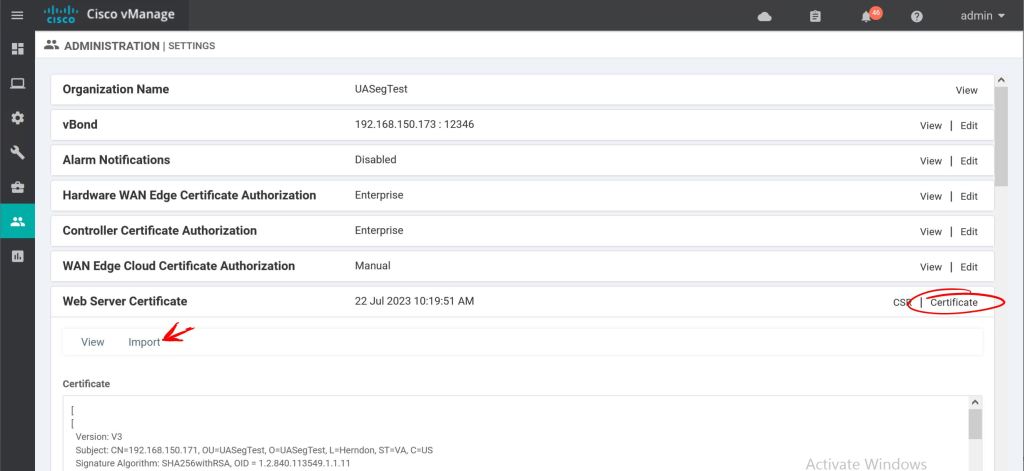
Looks good. Let’s import it into vManage
Hopefully this will be enough to please our DNAC Overlords. Let’s see what happens.
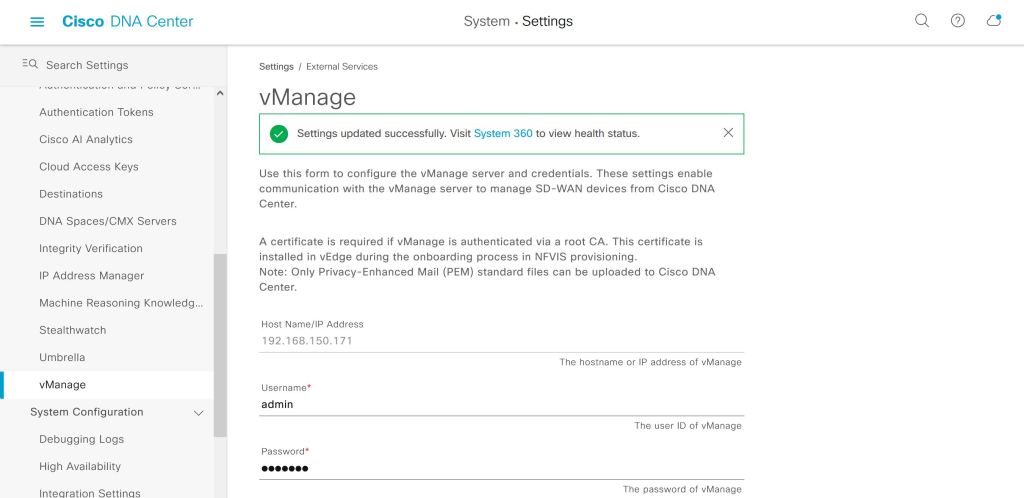
It actually worked. This green success checkbox that takes up about 30 seconds of blog post took me forever to actually get working. It was such a huge relief to see it turn green like that. I was pretty close to throwing the whole thing out the window.
Next up, we’ll try to figure out what we can actually do with this…


Hi Gregory,
I am currently working on integrating SDA with SD-WAN and have encountered an issue. In my Eve-NG setup, SD-WAN is configured and connected to the dCloud SDA lab through a Fusion router using DMVPN. I have correctly advertised routes via BGP, and vManage can successfully ping DNAC. However, when attempting to add vManage to DNAC, I receive the Internal server error. And when I further look into Audit log, I see error mentioned as “Unable to add empty vManage credentials.”
I have created a user with netadmin privileges in vManage and have also added both the ROOT certificate and the vManage web server certificate to DNAC’s trusted certificate list. Despite these configurations, the problem persists.
Could you assist with troubleshooting this issue? Your expertise would be greatly appreciated.
Best regards, Siddhartha Ghosh
LikeLike
Hi Gregory, I am currently working on integrating SDA (Software-Defined Access) with SD-WAN (Software-Defined Wide Area Network) in my Eve-NG environment. The SD-WAN setup is configured and connected to the dCloud SDA lab via a Fusion router using DMVPN. I have properly advertised the routes in BGP, and I can successfully ping DNAC (Digital Network Architecture Controller) from vManage.
However, when attempting to add vManage to DNAC, I encounter internal server error. As I look further in audit logs, I see error mentioned as “Unable to add empty vManage credentials.” I have already created a user in vManage with netadmin privileges and included both the ROOT certificate and the vManage webserver certificate in DNAC’s trusted certificate list.
Do you have any insight to it?
LikeLike
Hi Siddhartha,
This SDA/SD-WAN integration is a little outdated. As far as I know, doing a one-box solution is no longer supported. The current recommendation is to do the two-box solution (which basically means vManage and CatCenter don’t need to be integrated).
Click to access Cisco-SD-Access-SD-WAN-Independent-Domain-Guide.pdf
LikeLike
Thanks Gregory for quick response. I was banging my head into “Integrated Domain Pairwise Integration” I think what you meant I should go with https://www.cisco.com/c/dam/en/us/td/docs/solutions/CVD/Campus/Cisco-SD-Access-SD-WAN-Independent-Domain-Guide.pdf
LikeLike
Yeah, exactly. It’s my understanding that you should still be able to do the controller integration from Catalyst Center and point it to vManage, but there’s not a ton of value in doing that. You’ll be able to see the vManage’d routers in your CatC Inventory, but there won’t be any automation happening there. The routers will still be managed only in vManage.
LikeLike
You are absolutely right. I received response today in Cisco community as well. 1-box solution is retired. https://community.cisco.com/t5/cisco-catalyst-center/sda-and-sdwan-pair-wise-integration/m-p/5156157#M9869
LikeLike