
Overlay Management Protocol
Each edge router peers with the vSmart controllers using OMP. OMP is strictly for control traffic, never for data plane traffic. And each WAN Edge router only peers with vSmart controllers, they’ll never peer with another WAN Edge.
The OMP routes advertise TLOCs mapped to prefixes. The TLOCS have to be reachable via the underlay. “To get to 10.5.11.0/24, use TLOC 191.0.2.39.” The WAN Edge router needs to have an underlay route to get to TLOC 191.9.2.39. A TLOC is basically a “next hop”.
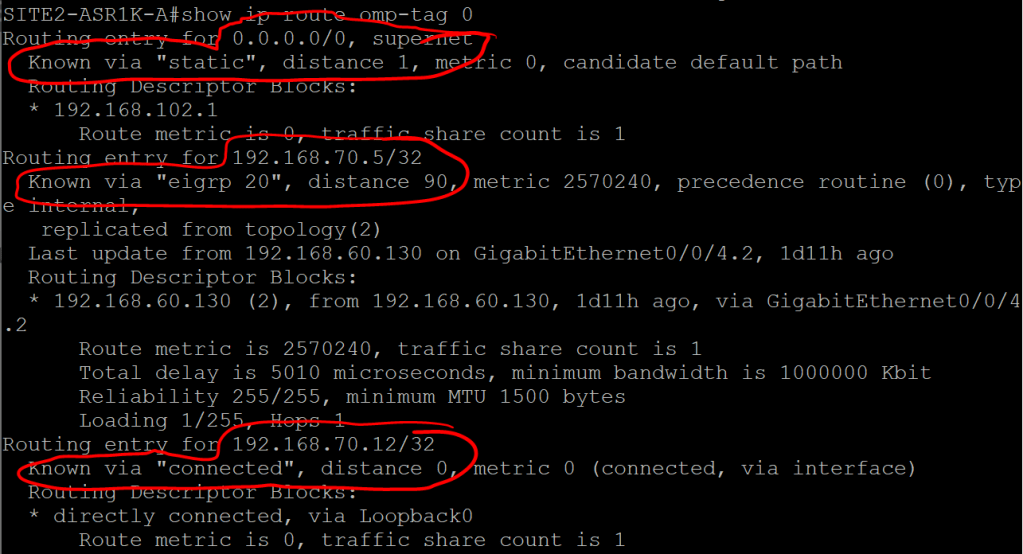
By default OMP will automatically redistribute connected, static, and OSPF (except external) routes. You can also tell it to redistribute EIGRP and BGP routes, as well as LISP, IS-IS, and OSPF external routes.
What can we expect to see in an OMP update that’s sent from a WAN Edge router up to vSmart?
- TLOC – which we recall is just the System IP + Color (biz-internet or MPLS) + encapsulation (which is probably always IPSec).
- Origin – How the route was learned (e.g. OSPF) plus the corresponding metric.
- Originator – The IP address of wherever the route was learned from.
- Preference – Higher is better.
- Site ID – Where the route belongs.
- Tag – Optional, can be used for control decisions.
- VRF – The segment the route belongs to.
ASR1K:
show sdwan omp routes
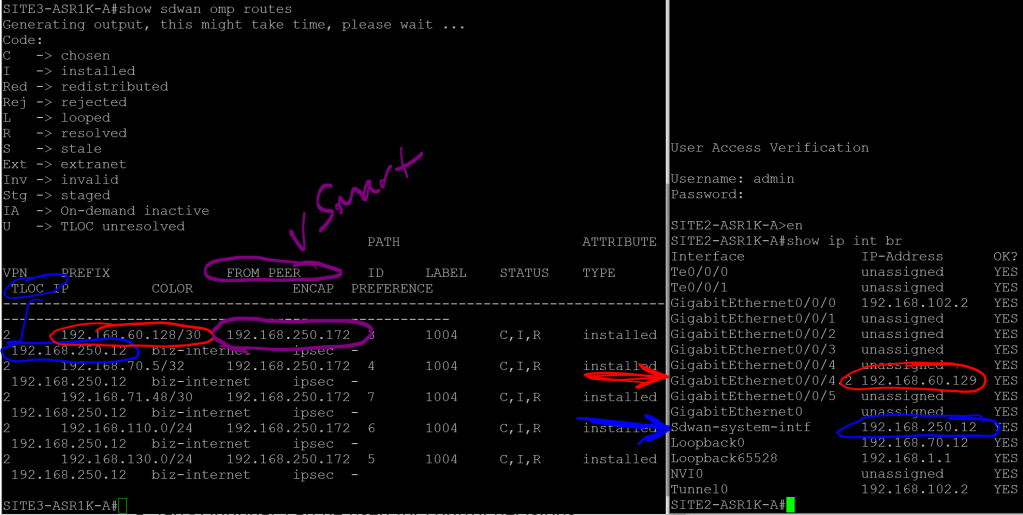
We can see that the 192.168.60.128/30 route was learned from the vSmart peer (192.168.250.172), and that the next hop, or TLOC, is System-IP 192.168.250.12
Note that the next hop is not 192.168.102.2, which is the underlay IP for VPN 0. The idea behind this is similar to using a loopback IP for iBGP, since interfaces can go up and down or change IPs. A System IP is more stable and reliable.
But clearly we’re missing a valuable piece of information. We know that we need to go to System IP 192.168.250.12 to get to that 192.168.60.128/30 address. But how the hell do we get to 192.168.250.12? Where does that routing information come in? That’s what TLOC Routes are for.
2.2.b iv TLOC
Let’s take a look at the TLOC table on Site3-ASR1K:
show sdwan omp tlocs

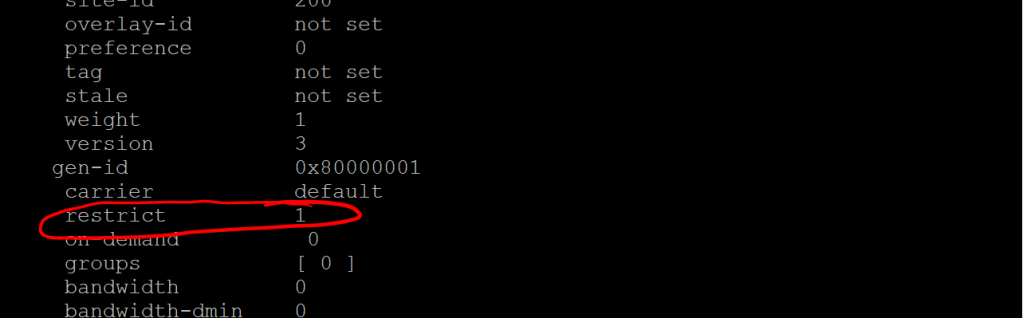
Note the public-ip and private-ip entries, in case we’re doing NAT. There’s a whole lot more after this, but the one thing I want to call out is the restrict value. If we remember from a previous post, the restrict values tells the router to only set up peering relationships with the same TLOC Color (e.g. biz-internet). This is for a scenario where you have two routers, each with two interfaces (maybe one is Verizon and one is AT&T), but they’re both routable via either interface. Meaning that Router 1’s Verizon link can ping Router 2’s AT&T link, and vice-versa. By default, that would mean we’ve got four separate IPSec tunnels going up between these sites, when really we want just two (Verizon to Verizon and AT&T to AT&T). So we would set them up with the restrict value.
 Oscorp Labs