
Stub Routers:
As we learned in 1.3.c iii, routes hang out in the active state waiting for a reply to the query they sent. What if we know for sure that the route we’re trying to learn about is definitely not down that alley behind that building over there. Do we really need to send queries down there and sit and wait for a response that we know is going to come back as, “Sorry boss, it’s a dead end.” No. We know it’s a dead end, so lets not send those queries.
R23:
router eigrp 100
eigrp stub
By default R23 will only send updates about connected and summary routes. But we can modify the stub command a little if we need more info from R23. If we want, we can set it for static or redistributed routes, as well.
R23:
router eigrp 100
eigrp stuf connected redistributed static summary
Note, there’s also a leak-map option, but that comes later in the blueprint. Then there’s the receive-only option, which means, “I’m not sending any routes to you. None…”
Default Route
If we want to include a default route, we have two options. We can redistribute a static route, or use a summary route. The summary route is probably a better idea because we can tweak the metrics on it.
R22
router eigrp R22
address-family ipv4 auto 10
af-interface gig0/2
summary-address 0.0.0.0/0
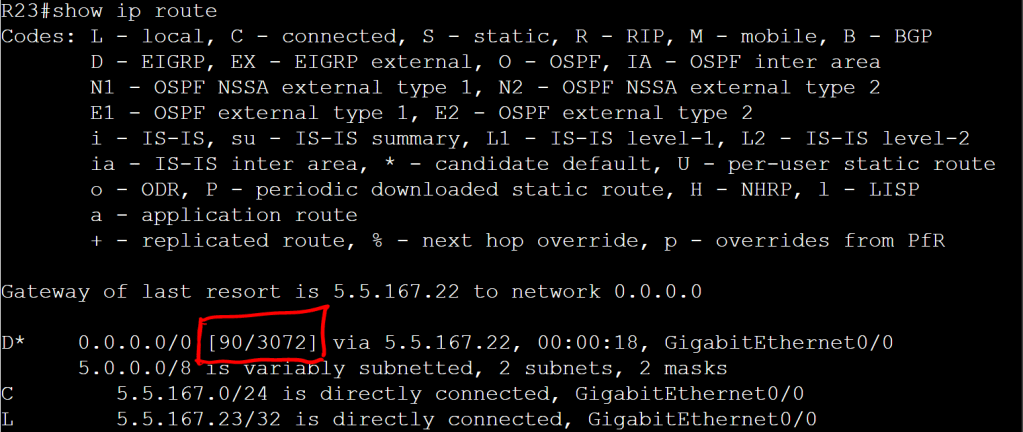
Let’s tweak that metric a bit.
R22
router eigrp R22
address-family ipv4 auto 10
topology base
summary-metric 0.0.0.0/0 1000000 10 255 0 1500
Leak Map
Since our stub router is only advertising connected and summary routes by default, we may want to tell it to also advertise network X. We’ll do that with a leak map.
R23
access-list 23 permit 23.1.1.1 0.0.0.0
route-map LEAKMAP
match ip address 23
router eigrp 10
eigrp stub leak-map LEAKMAP
 Oscorp Labs