
This will be a quick post on upgrading an ASR IOS using SD-WAN. I’m going to go from 17.3.3 to 17.3.4a. We’ll just be uploading the image directly to vManage.
Add Image to Repository
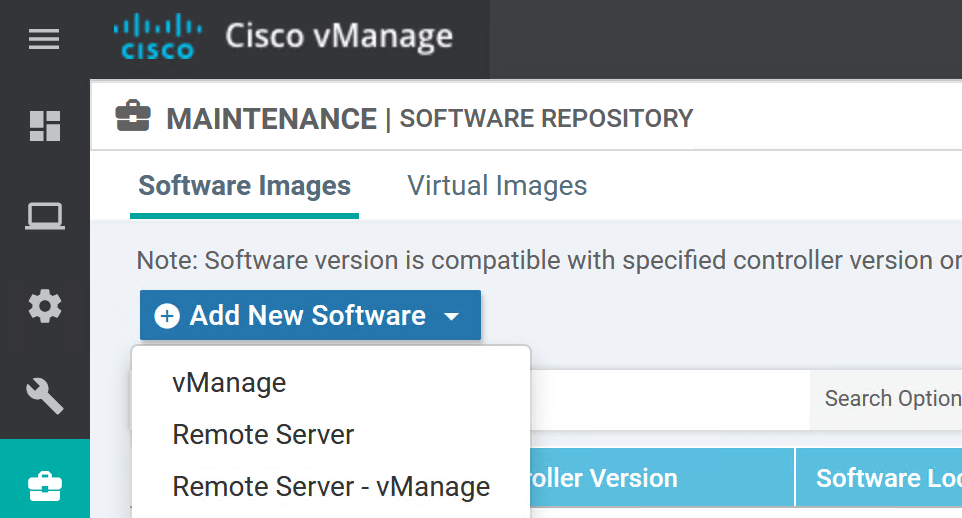
- In vManage, go to Maintenance > Software Repository > Software Images > Add New Software.
- Select the first option, vManage.
- Click the Browse button.
- Find your downloaded IOS file and click Open.
- Click Upload.
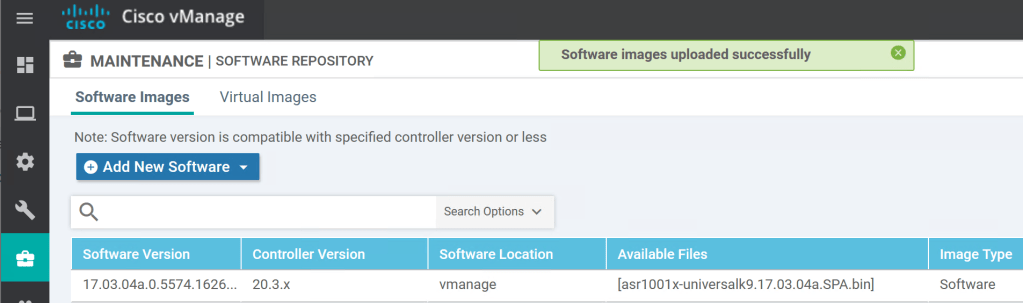
Upgrade Router IOS from vManage
- In vManage, go to Maintenance > Software Upgrade > WAN Edge.
- Select the router to upgrade and click Upgrade.

- Select vManage, since that’s the repository we set up in the previous steps.
- Select the IOS from the dropdown under Version.
- Since this is a lab and we don’t need a Change Request we’ll check the box to Activate and Reboot.
- Then click Upgrade.

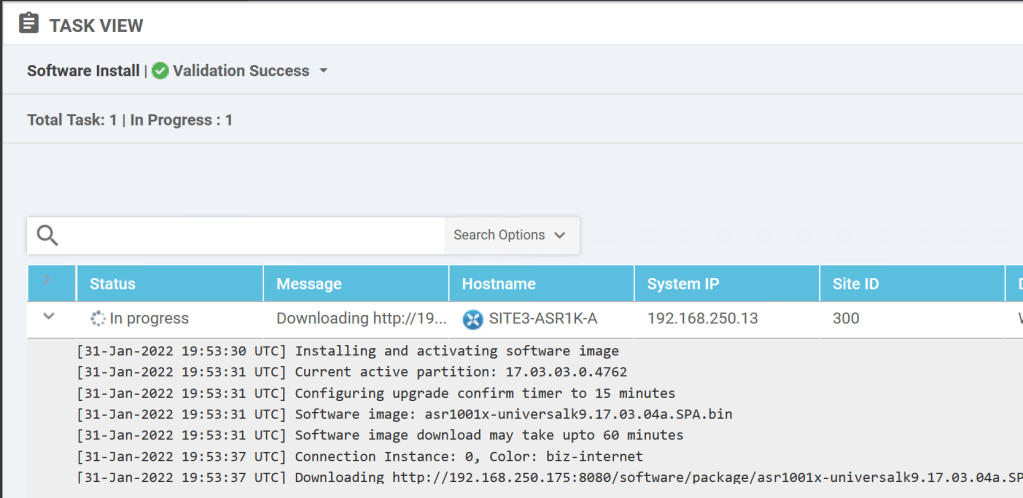
That’s it. Then we get send to the Task View where we can see things are going well.
 Oscorp Labs